⭐ Star Charge OMC Station Report ⭐

Database Status: Initializing... | Stations: 0 | Total Records: 0
πŸ“ Upload New Data
πŸ—ƒοΈ View Historical Data

Step 1: Upload Your Data

Drag & drop your exported charging records file here

or

πŸ’° How it's done πŸ’°

Transform your OMC platform data into actionable insights with comprehensive reporting and analysis

πŸ“Š
Comprehensive Analytics
Get detailed insights into charging patterns, success rates, connector utilization, and performance metrics with interactive charts and visualizations.
πŸ—„οΈ
Historical Data Management
Store and analyze historical charging data with date range filtering, station comparisons, and trend analysis over time.
⚑
Performance Monitoring
Track connector performance, identify error patterns, monitor utilization rates, and optimize charging station operations.
πŸ“ˆ
Usage Patterns
Analyze time-of-day usage, day-of-week patterns, seasonal trends, and user behavior to optimize station availability.
🎯
Success Rate Analysis
Monitor charging success rates, identify failure reasons, and track improvements in station reliability over time.
πŸ“±
Mobile-Friendly Reports
Access reports on any device with responsive design, print-friendly layouts, and exportable data tables.
πŸ’°
Cost Analysis & ROI
Track revenue generation, energy costs, and operational expenses to calculate station profitability and return on investment with detailed financial breakdowns.
πŸ”§
Maintenance Insights
Identify maintenance needs through error pattern analysis, connector downtime tracking, and predictive maintenance scheduling to maximize station uptime.

How to Use This Platform

1

Export Your OMC Data

Export charging session data from OMC and select your station / filters. Then, export into .xlsx format.

2

Upload & Map Fields

Upload your file using the drag-and-drop area above, then map your data columns to our standard fields for analysis

3

Generate Reports

View comprehensive analytics with interactive charts, performance metrics, and detailed breakdowns of your charging data

4

Historical Analysis

Data is automatically saved for future analysis. Use the "View Historical Data" mode to analyze past performance and trends

Expected Data Format Examples

Your Star Charge OMC platform data should include fields similar to the examples below. Don't worry if your column names are different - you'll be able to map them during the upload process.
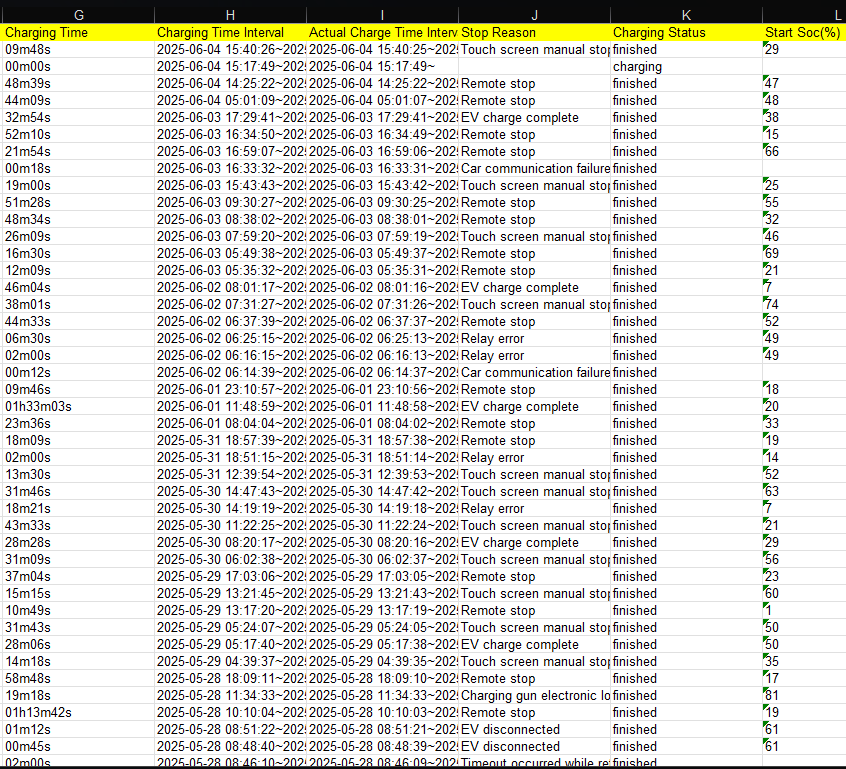
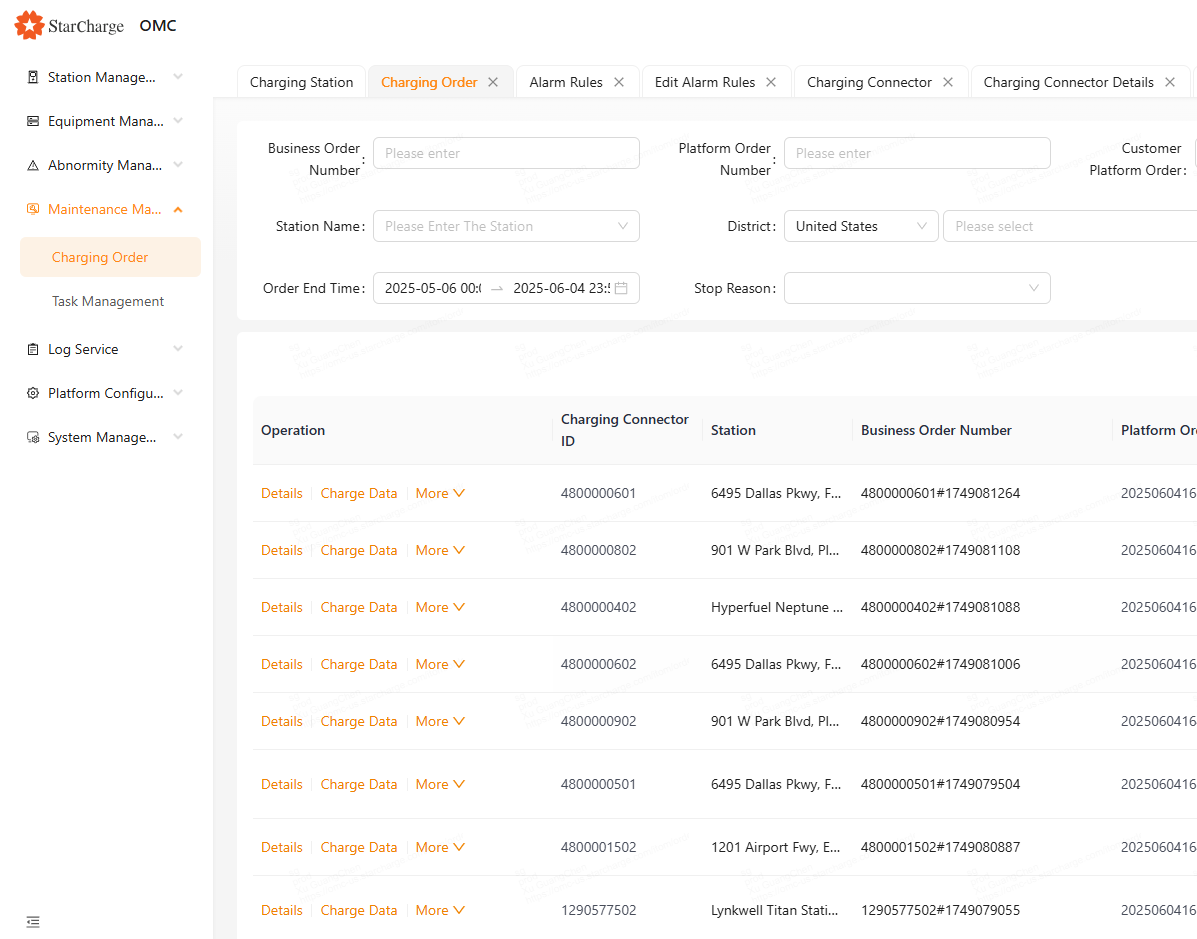
Sample CSV Data Preview
OMC Platform CSV Export
Typical OMC fields: Station Name, Connector ID, Start Time, End Time, Energy Delivered (kWh), Success/Failure Status, Stop Reason
Excel Spreadsheet Example
OMC Extended Data Export
Extended OMC data including: SOC Start/End %, Charging Power (kW), User ID, Session Duration, Geographic Location
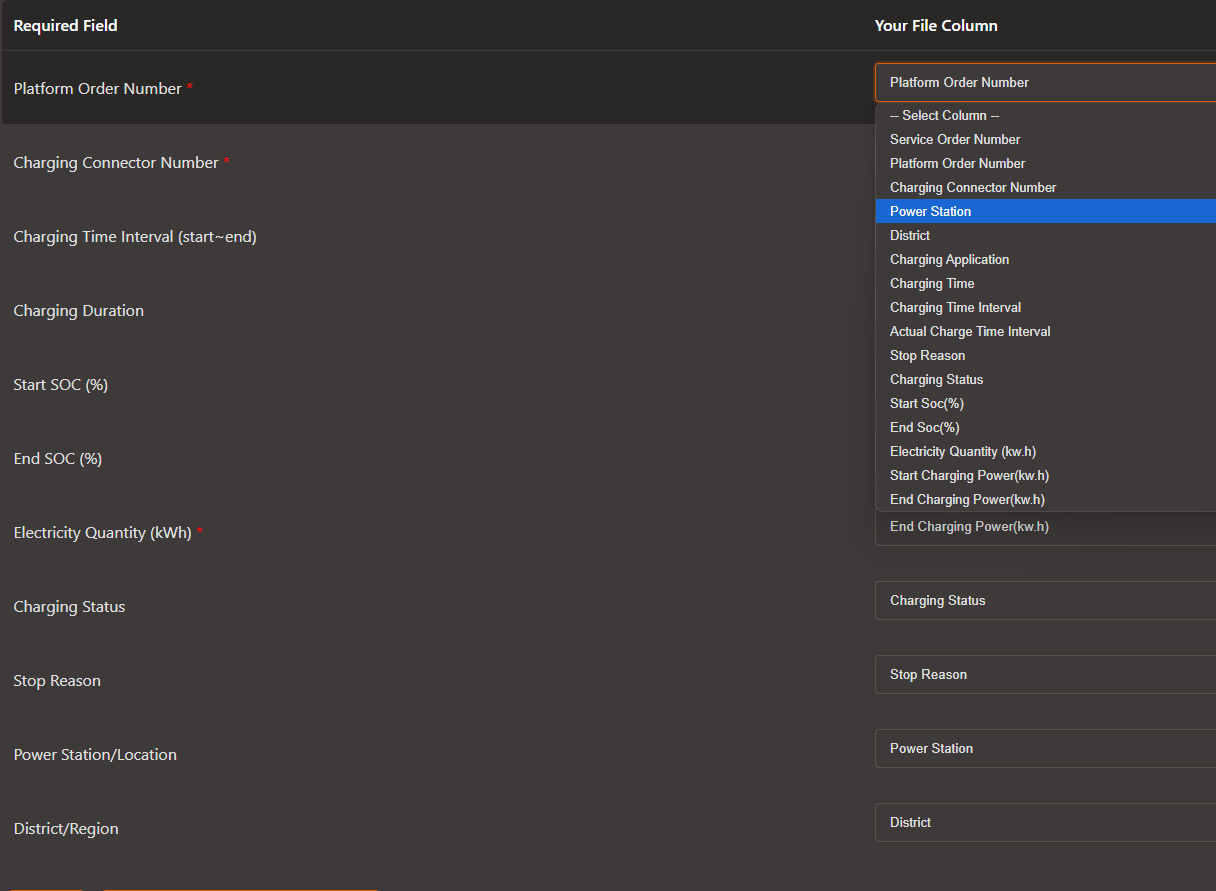
Field Mapping Interface
Column Mapping Process
Easy-to-use interface that automatically detects common field names and allows manual mapping for custom column headers
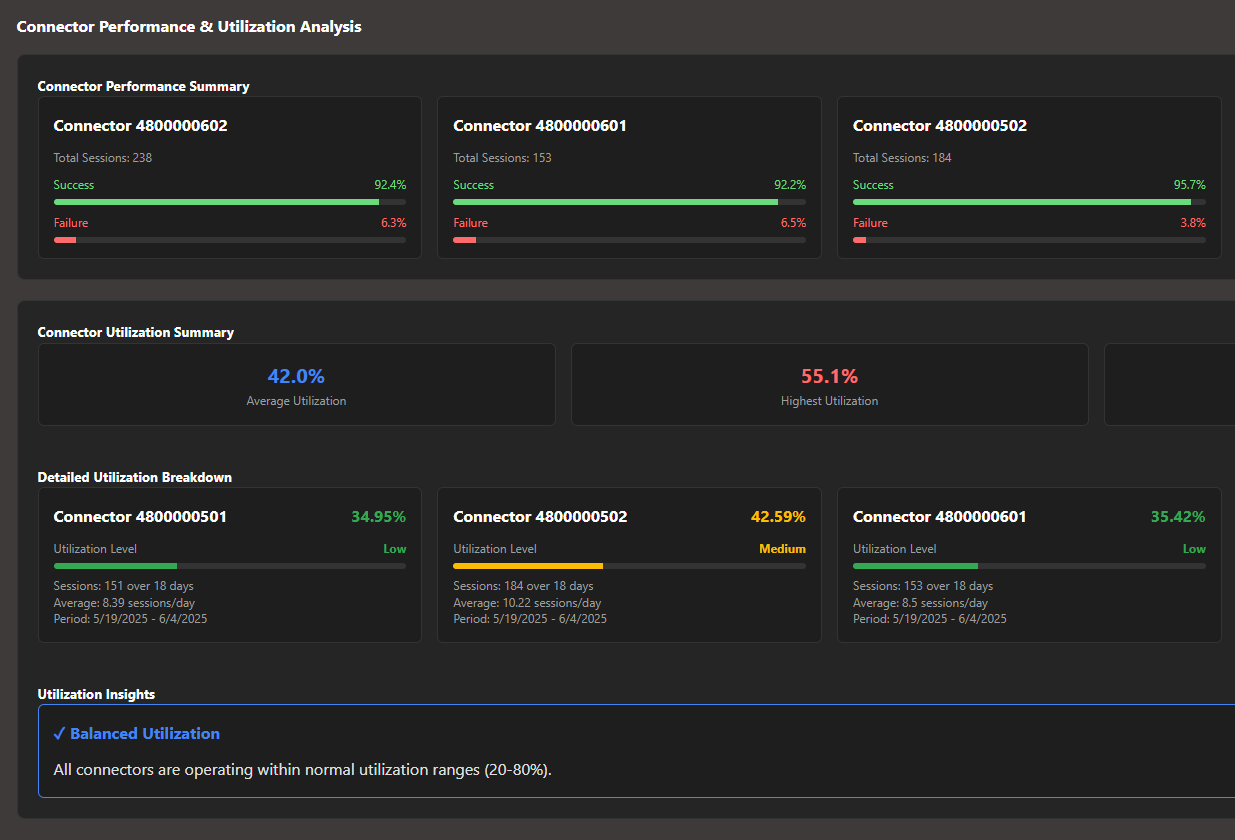
Generated Analytics Dashboard
Comprehensive Reports
Interactive charts showing utilization rates, success metrics, time-based patterns, and connector performance analysis

πŸ’‘ OMC Data Requirements

Your OMC data should include basic session information like start/end times, station/connector identifiers, energy delivered, and session outcomes. The system is flexible and can work with various OMC export formats - just ensure you have the core charging session details.

πŸ“„ CSV Files πŸ“Š Excel (.xlsx) πŸ“‹ Excel (.xls) πŸ” Auto-Detection πŸ—ΊοΈ Field Mapping